Accessing your Account
To view or manage your booking, please log in to your client account:
-
Existing Users: Click here to log in
-
New Users: Create an account here using the same email address you used when making your booking. Your bookings will appear automatically once your account is created.
Your online account allows you to:
-
View your current and previous bookings
-
Check your payment schedule and make card payments
-
Update your guest and flight details
-
Add any special requests or notes for your stay
Making Payments
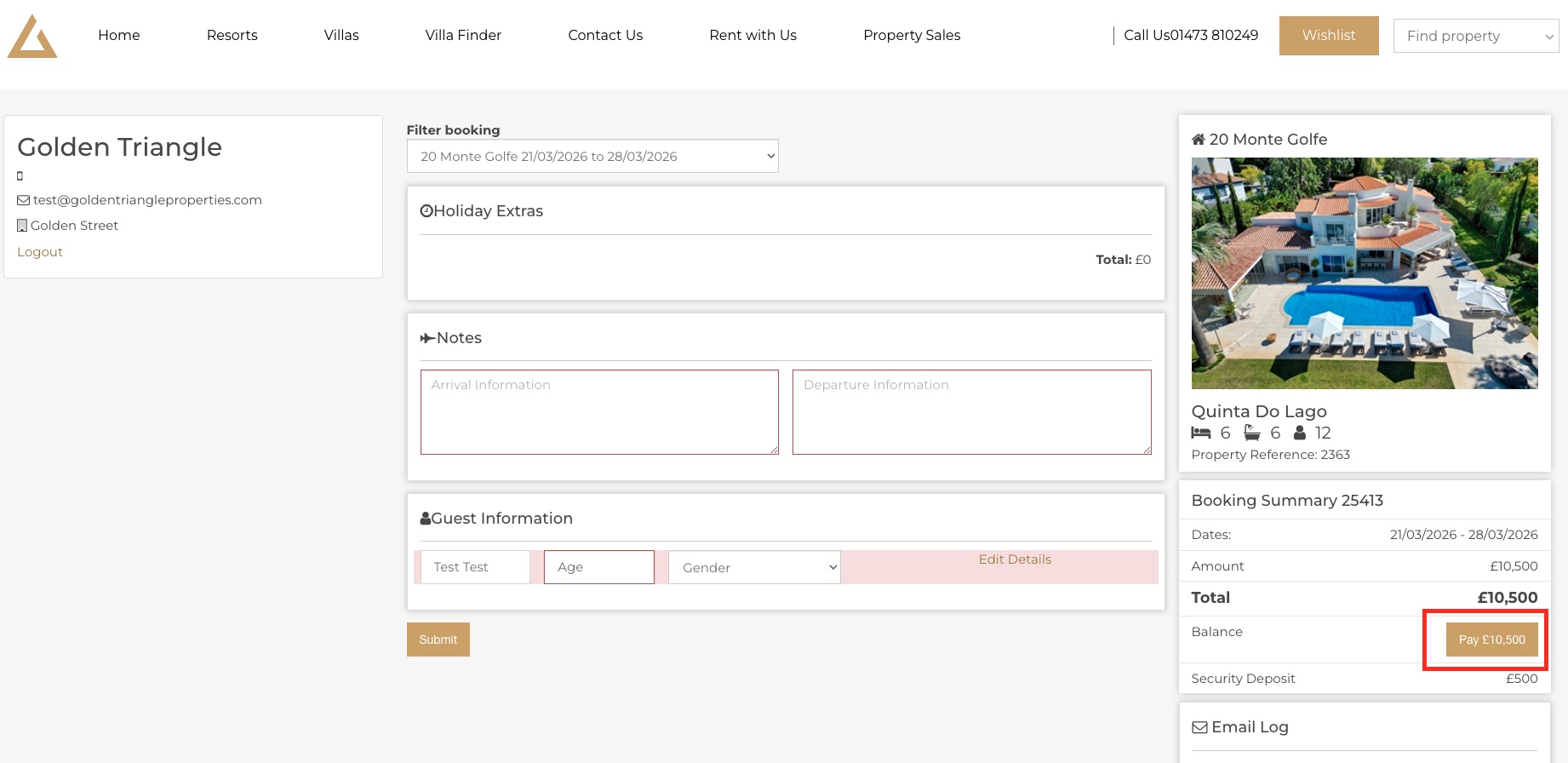
1. To make a payment online, please be logged into your online account and click the 'Pay £Holiday Total'.
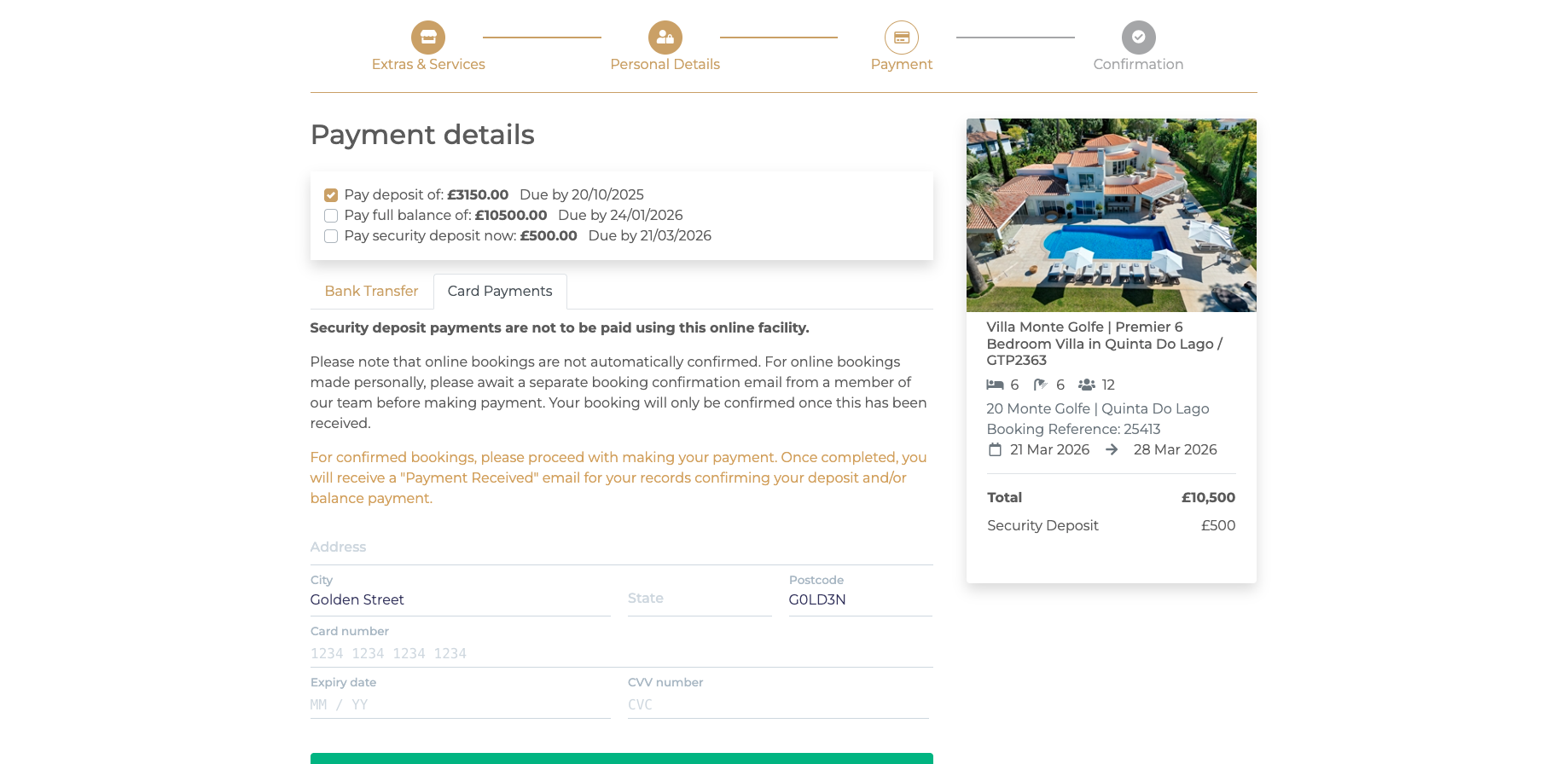
2. You will now have the option to make a bank, or card payment. On the card payment screen, please enter the relevant details to process a payment.
Adding Flight Details
To help our team prepare for your arrival:
-
Log in to your account.
-
Select "My Bookings."
-
Choose your upcoming stay.
-
Enter your arrival and departure flight details, including times and flight numbers.
Providing accurate flight information ensures a smooth check-in and that our on-ground team can coordinate everything seamlessly.
Adding Guest Information
Please ensure all members of your party are listed under your booking.
-
Open your booking in your account.
-
Navigate to "Guest Information."
-
Add each traveller's full name and age category (adult/child).
This information is required under Portuguese tourism law (SEF registration).